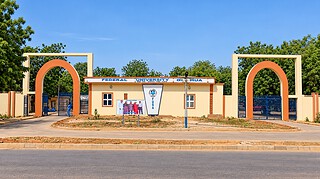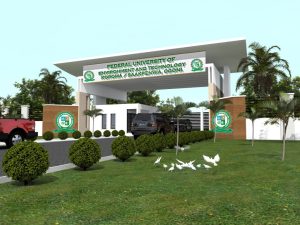
Federal University, Gashua (FUGASHUA) has announced its online Post UTME and Direct Entry screening exercise for candidates seeking undergraduate admission for the 2026/2027 academic session.
The screening period is from Monday, 7 September 2026 to Tuesday, 3 November 2026. Eligible candidates will be required to register online and pay a screening fee of N2,000.
FUGASHUA Screening Dates for 2026/2027
Online screening will run from Monday, 7 September 2026 to Tuesday, 3 November 2026.
The registration portal will be open throughout the stated period. Candidates are expected to complete their application before the closing date.
FUGASHUA Post UTME Eligibility
UTME candidates are eligible for the screening if they scored 150 or above.
Candidates who meet this score requirement can proceed with the online registration through the university screening portal.
FUGASHUA Direct Entry Eligibility
Direct Entry candidates must have chosen Federal University, Gashua as their first choice.
Eligible qualifications are:
- HND or National Diploma with Lower Credit or above
- NCE with Credit or Merit
- IJMB with six points or above
Candidates whose qualifications meet these stated grades can register for the online screening exercise.
FUGASHUA Screening Fee and Registration Portal
The screening registration fee is N2,000.
Candidates should use the FUGASHUA online screening portal to create an account, make payment and complete the application.
Registration opens on Monday, 7 September 2026 and closes on Tuesday, 3 November 2026.
How to Register for FUGASHUA Post UTME and Direct Entry
The registration process is completed online.
- Visit the FUGASHUA screening portal and click the registration option to create an account.
- Complete the account form for UTME or Direct Entry screening.
- Enter the JAMB registration number.
- Enter the first name and surname.
- Select the appropriate entry mode, either UTME or Direct Entry.
- Enter an email address, which will serve as the username.
- Create a password containing uppercase letters and numbers.
- Submit the account registration form.
- Check the registered email address for a confirmation link.
- Select the confirmation button in the email to reach the payment page.
Candidates will then be able to choose an available payment method.
FUGASHUA Bank Payment Option
Candidates who choose bank payment will be required to generate an invoice.
The process is:
- Select the payment icon.
- Print the Remita Retrieval Reference, RRR, invoice.
- Make the required payment using the generated invoice.
After payment, the candidate can return to the screening portal and continue the application.
FUGASHUA ATM Card Payment Option
Candidates using a card can complete payment from the payment page.
- Select the payment icon.
- Choose the card type, such as Mastercard or Verve.
- Enter the phone number used to receive transaction alerts.
- Confirm the details and proceed.
- Enter the card details on the unified payment page.
- Wait for the authentication SMS.
- Enter the received OTP and submit the payment.
Payment confirmation will allow the applicant to return to the screening account and continue registration.
Completing the FUGASHUA Screening Application
After payment, candidates should log back into the portal with their email address or JAMB registration number and password.
The first application stage will be the course selection page. Candidates will be required to provide:
- UTME first choice
- UTME second choice
- UTME subject combination
- UTME score
The next page will contain the biodata form. All required fields should be completed, a recent passport photograph should be uploaded, then the information should be saved before moving to the next stage.
FUGASHUA O'Level Result Requirements
Candidates will be required to provide five relevant O'Level credits, including Mathematics and English, from no more than two sittings.
Applicants awaiting results can return to the portal later to update their O'Level information.
Direct Entry Qualification Details
Applicants will also be required to provide details of schools previously attended and the qualifications obtained.
Direct Entry candidates should include the grades obtained from any post-secondary school attended.
Required Certificate and Result Uploads
The application process includes a document upload page.
Candidates will be required to upload scanned copies of their certificates and results, then submit the completed application and confirm the submission.
A successful submission will display this message:
"Application Submitted Successfully, It Cannot Be Altered. Thanks"
Candidates should check all entered details before the final submission because the displayed confirmation states that the application cannot be altered after submission.
Physical Screening or Aptitude Test
Candidates will be invited for either physical screening or an aptitude test at a future time.
Further information is available on the Federal University, Gashua official screening page.
FUGASHUA Screening Troubleshooter
| Screening issue | What it means | What the candidate should do | Next point to check |
|---|---|---|---|
| 🎓 UTME score is below 150 | The stated UTME screening requirement has not been met | Do not proceed on the basis of the stated UTME eligibility rule | FUGASHUA eligibility requirement |
| 📧 Confirmation email has not been used | The applicant has not reached the payment stage described in the process | Check the registered email and use the confirmation link | Registered email account |
| 💳 Payment has been made | Registration still requires the remaining application stages | Log back into the portal and continue the form | FUGASHUA screening portal |
| 📝 O'Level result is awaited | The application allows later O'Level updates | Complete the available fields and update the result when ready | Applicant screening account |
| 📄 Application has been submitted | The confirmation message states that it cannot be altered | Check all entries before final submission | Submission confirmation page |