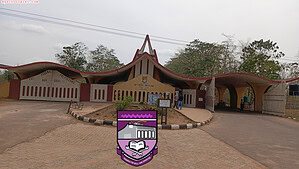
The registration procedure for the Nigerian Army Institute of Technology and Environmental Studies (NAITES) fresh/stale National Diploma (ND) and Higher National Diploma (HND) students for the 2019/2020 academic session. See NAITES registration procedure below.

The management of the Nigerian Army Institute of Technology and Environmental Studies (NAITES) has released the registration procedure for the newly admitted and returning ND/HND students for the 2019/2020 academic session.
SEE ALSO:NAITES School Fees Schedule for 2019/2020 Academic Session.
NAITES Registration Procedure
NEW STUDENTS:
1. Enter your Application Number e.g (4004) as your Username and Password.
2. Download and Print Admission letter, Acceptance form and Guarantors form from the Portal.
3. Go to the office of the registrar with hard copies (Printed Copies)of the downloaded documents.
4. You will be given a file. Proceed to the ICT unit for verification of your WAEC, NECO or NABTEB result. (Scratch cards are sold in the office of the DFA)
5. From the ICT, go to your Department with the documents listed on your congratulatory message for documentation and registration.
6. Visit the Portal again and Generate your Fees Payment Reference Number and proceed to any branch of UBA Bank and Pay the Fees.
5. At the Bank, neatly fill the Deposite Slip with the details below;
Account Name: Application Form Account
Account Number: Your Payment Reference Number eg (PR00000001)
Depositor's Name: Your Payment Reference Number eg (PR00000001)
6. After Payment of School Fees, go and exchange your Teller (Deposite Slip) for Receipt at the DFA office
7. Return to the PORTAL and continue your Course Registration.
8. Print your Completed Course Form from the PORTAL and Submit at your Department for approval.
9. You may return back to the PORTAL at any time to print your Exam Permit.
10. Registration closes on the Friday 15th November, 2019. Late registration will be for one week and will attract a penalty
RETURNING STUDENTS:
1. Enter your Matric Number e.g (NAITES/COM/ND14/234) as your Username and Password.
2. Complete the Bio-data form online. Change your default Password as soon as possible for privacy;
3. Generate your Fees Payment Reference Number and proceed to any branch of UBA Bank and Pay the FeesCheck School Fees Schedule (https://www.naitesmkd.org/newpaystructure2.jsp).
4. Neatly fill the Deposite Slip with the details below;
Account Name: Application Form Account
Account Number: Your Payment Reference Number eg (PR00000001)
Depositor's Name: Your Payment Reference Number eg (PR00000001)
5. After Payment of School Fees, go and exchange your Teller (Deposite Slip) for Receipt at the DFA office
6. Return to the PORTAL and continue your Course Registration.
7. Print your Completed Course Form from the PORTAL and Submit at your Department for approval.
8. You may return back to the PORTAL at any time to print your Exam Permit.
9.Registration closes on the Friday 15th November, 2019. Late registration will be for one week and will attract a penalty
Should you have any complaints or need further clarification; call (09050891789, 07031952889 or 08096083034).