2025 WAEC GCE Timetable for 2nd Series
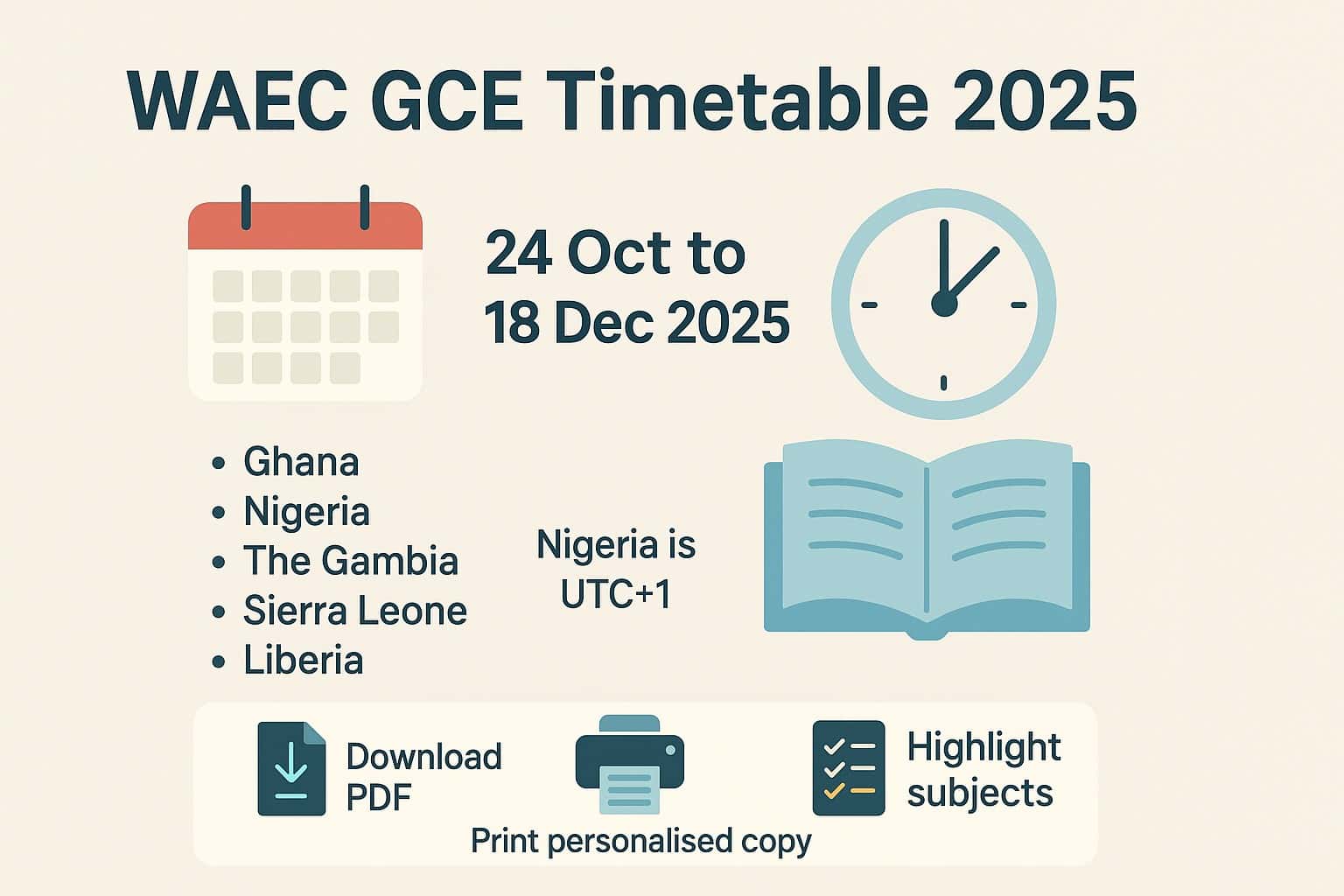
The West African Examinations Council (WAEC) has released the timetable for the 2025 second series WASSCE for private candidates, also called GCE.
The exam runs from Friday, 24 October 2025 to Thursday, 18 December 2025. Centres will run across Ghana, Nigeria, The Gambia, Sierra Leone, and Liberia.
This article keeps the key facts, shows where to get the official PDFs, and summarises repeated date blocks so students can plan with ease.
Who the WAEC GCE is for
- School leavers who wish to improve grades
- Workers or adults who did not sit WAEC in school
- Private learners who study outside regular schools
All successful candidates receive the same WAEC certificate as school candidates. Results are accepted by universities, polytechnics, and employers.
WAEC GCE Timetable 2025
The timetable lists all papers by date and time, including practicals, orals, and project work. Project work in Art subjects and some practical papers are released to centres ahead of time. Please review each entry with care and confirm any centre notices.
Candidates taking part in the exam can find the full timetable outlined below. For convenience, we have also attached a PDF version for those who would like to download it to their device or those who would like to print it out.
PDF & Personalised Version of the GCE Timetable
International Version:
The international version of the timetable is available for download as a PDF (98 KB) here: Download International Timetable (Ghana, Nigeria, The Gambia, Sierra Leone, and Liberia)
Nigerian Version:
The Nigerian version of the GCE timetable is also available for download as a PDF (106 KB) here: Download Nigerian GCE Timetable
Candidate Information:
Candidates are advised to download their personalised timetable two (2) weeks before the commencement date of the examination from: WAEC Candidate Login Portal. You will need to log in using your Username and Password.
WAEC GCE Timetable for Nigerians
Friday, 24th October, 2025
- Paper Code: PC7023
- Subject/Paper: Foods and Nutrition 3 (Practical) Planning Session
- Duration: 1 hour
- Time: 9:30 a.m. – 10:30 a.m.
- Paper Code: PC7033
- Subject/Paper: Home Management 3 (Practical) Planning Session
- Duration: 1 hour
- Time: 10:30 a.m. – 11:30 a.m.
Monday, 3rd November, 2025 to Friday, 14th November, 2025
- Paper Code: PC3013
- Subject/Paper: Arabic 3 (Oral)
- Duration: 15 minutes
- Time: Time for paper will be arranged by the Council
- Paper Code: PC7054
- Subject/Paper: Music 3B (Performance Test)
- Duration: 30 minutes
- Time: Time for paper will be arranged by the Council
- Paper Code: PC3043
- Subject/Paper: French 3 (Oral)
- Duration: 40 minutes
- Time: Time for paper will be arranged by the Council
- Paper Code: PC7013
- Subject/Paper: Clothing and Textiles 3 (Practical)
- Duration: 2 hours 30 minutes
- Time: Time for paper will be arranged by the Council
- Paper Code: PC7023
- Subject/Paper: Foods and Nutrition 3 (Practical)
- Duration: 3 hours
- Time: Time for paper will be arranged by the Council
- Paper Code: PC7033
- Subject/Paper: Home Management 3 (Practical)
- Duration: 3 hours
- Time: Time for paper will be arranged by the Council
Tuesday, 11th November, 2025
- Paper Code: PC4012
- Subject/Paper: Further Mathematics/Mathematics (Elective) 2 (Essay)
- Duration: 2 hours 30 minutes
- Time: 9:30 a.m. – 12:00 p.m.
- Paper Code: PC4011
- Subject/Paper: Further Mathematics/Mathematics (Elective) 1 (Objective)
- Duration: 1 hour 30 minutes
- Time: 2:00 p.m. – 3:30 p.m.
Wednesday, 12th November, 2025
- Paper Code: PC1042
- Subject/Paper: Financial Accounting 2 (Theory and Practice)
- Duration: 2 hours 30 minutes
- Time: 9:30 a.m. – 12:00 p.m.
- Paper Code: PC1041
- Subject/Paper: Financial Accounting 1 (Objective)
- Duration: 1 hour
- Time: 12:00 p.m. – 1:00 p.m.
- Paper Code: PC2052
- Subject/Paper: Government 2 (Essay)
- Duration: 2 hours
- Time: 2:00 p.m. – 4:00 p.m.
- Paper Code: PC2051
- Subject/Paper: Government 1 (Objective)
- Duration: 1 hour
- Time: 4:00 p.m. – 5:00 p.m.
- Paper Code: PC6152
- Subject/Paper: Basic Electronics 2 (Essay)
- Duration: 1 hour
- Time: 2:00 p.m. – 3:00 p.m.
- Paper Code: PC6151
- Subject/Paper: Basic Electronics 1 (Objective)
- Duration: 1 hour
- Time: 3:00 p.m. – 4:00 p.m.
Thursday, 13th November, 2025
- Paper Code: PC3272
- Subject/Paper: Hausa 2 (Essay)
- Duration: 2 hours
- Time: 9:30 a.m. – 11:30 a.m.
- Paper Code: PC3271
- Subject/Paper: Hausa 1 (Objective)
- Duration: 1 hour
- Time: 11:30 a.m. – 12:30 p.m.
- Paper Code: PC3282
- Subject/Paper: Igbo 2 (Essay)
- Duration: 2 hours
- Time: 9:30 a.m. – 11:30 a.m.
- Paper Code: PC3281
- Subject/Paper: Igbo 1 (Objective)
- Duration: 1 hour
- Time: 11:30 a.m. – 12:30 p.m.
- Paper Code: PC3292
- Subject/Paper: Yoruba 2 (Essay)
- Duration: 2 hours
- Time: 9:30 a.m. – 11:30 a.m.
- Paper Code: PC3291
- Subject/Paper: Yoruba 1 (Objective)
- Duration: 1 hour
- Time: 11:30 a.m. – 12:30 p.m.
- Paper Code: PC6032
- Subject/Paper: Auto Mechanics 2 (Essay)
- Duration: 1 hour 30 minutes
- Time: 2:00 p.m. – 3:30 p.m.
- Paper Code: PC6031
- Subject/Paper: Auto Mechanics 1 (Objective)
- Duration: 1 hour
- Time: 3:30 p.m. – 4:30 p.m.
Friday, 14th November, 2025
- Paper Code: PC7032
- Subject/Paper: Home Management 2 (Essay)
- Duration: 1 hour
- Time: 9:30 a.m. – 10:30 a.m.
- Paper Code: PC7031
- Subject/Paper: Home Management 1 (Objective)
- Duration: 1 hour
- Time: 10:30 a.m. – 11:30 a.m.
- Paper Code: PC6153
- Subject/Paper: Basic Electronics 3 (Practical)
- Duration: 3 hours
- Time: 9:30 a.m. – 12:30 p.m. (1st Set)
- Paper Code: PC6153
- Subject/Paper: Basic Electronics 3 (Practical)
- Duration: 3 hours
- Time: 1:00 p.m. – 4:00 p.m. (2nd Set)
- Paper Code: PC2032
- Subject/Paper: Economics 2 (Essay)
- Duration: 2 hours
- Time: 9:30 a.m. – 11:30 a.m.
- Paper Code: PC2031
- Subject/Paper: Economics 1 (Objective)
- Duration: 1 hour
- Time: 11:30 a.m. – 12:30 p.m.
Saturday, 15th November, 2025
- Paper Code: PC7062
- Subject/Paper: Visual Art 2 (Essay)
- Duration: 2 hours
- Time: 2:00 p.m. – 4:00 p.m.
- Paper Code: PC7061
- Subject/Paper: Visual Art 1 (Objective)
- Duration: 50 minutes
- Time: 4:00 p.m. – 4:50 p.m.
Monday, 17th November, 2025
- Paper Code: PC5112
- Subject/Paper: Physical Education 2 (Essay)
- Duration: 1 hour 20 minutes
- Time: 2:00 p.m. – 3:20 p.m.
- Paper Code: PC5111
- Subject/Paper: Physical Education 1 (Objective)
- Duration: 50 minutes
- Time: 3:20 p.m. – 4:10 p.m.
Tuesday, 18th November, 2025
- Paper Code: PC5083
- Subject/Paper: Health Education/Health Science 3 (Alternative to Practical Work)
- Duration: 1 hour 45 minutes
- Time: 9:30 a.m. – 11:15 a.m.
- Paper Code: PC5113
- Subject/Paper: Physical Education 3 (Theory of Practice)
- Duration: 2 hours
- Time: 2:00 p.m. – 4:00 p.m.
Wednesday, 19th November, 2025
- Paper Code: PC6083
- Subject/Paper: Technical Drawing 3 (Sketches, Building, and Mechanical Drawing)
- Duration: 2 hours 45 minutes
- Time: 9:30 a.m. – 12:15 p.m.
- Paper Code: PC6082
- Subject/Paper: Technical Drawing 2 (Essay)
- Duration: 1 hour 45 minutes
- Time: 2:30 p.m. – 4:15 p.m.
- Paper Code: PC6081
- Subject/Paper: Technical Drawing 1 (Objective)
- Duration: 1 hour
- Time: 4:15 p.m. – 5:15 p.m
Thursday, 20th November, 2025
- Paper Code: PC5052
- Subject/Paper: Chemistry 2 (Essay)
- Duration: 2 hours
- Time: 9:30 a.m. – 11:30 a.m.
- Paper Code: PC5051
- Subject/Paper: Chemistry 1 (Objective)
- Duration: 1 hour
- Time: 11:30 a.m. – 12:30 p.m.
- Paper Code: PC5053
- Subject/Paper: Chemistry 3 (Alternative to Practical Work)
- Duration: 1 hour 30 minutes
- Time: 2:00 p.m. – 3:30 p.m.
Friday, 21st November, 2025
- Paper Code: PC6093
- Subject/Paper: Woodwork 3 (Practical)
- Duration: 3 hours
- Time: 9:30 a.m. – 12:30 p.m. (1st Set)
- Paper Code: PC6093
- Subject/Paper: Woodwork 3 (Practical)
- Duration: 3 hours
- Time: 1:00 p.m. – 4:00 p.m. (2nd Set)
Saturday, 22nd November, 2025
- Paper Code: PC4022
- Subject/Paper: General Mathematics/Mathematics (Core) 2 (Essay)
- Duration: 2 hours 30 minutes
- Time: 9:30 a.m. – 12:00 p.m.
- Paper Code: PC4021
- Subject/Paper: General Mathematics/Mathematics (Core) 1 (Objective)
- Duration: 1 hour 30 minutes
- Time: 2:00 p.m. – 3:30 p.m.
Monday, 24th November, 2025
- Paper Code: PC6042
- Subject/Paper: Building Construction 2 (Essay)
- Duration: 1 hour
- Time: 9:30 a.m. – 10:30 a.m.
- Paper Code: PC6041
- Subject/Paper: Building Construction 1 (Objective)
- Duration: 45 minutes
- Time: 10:30 a.m. – 11:15 a.m.
- Paper Code: PC6043
- Subject/Paper: Building Construction 3 (Building Drawing and Essay)
- Duration: 2 hours 30 minutes
- Time: 2:00 p.m. – 4:30 p.m.
- Paper Code: PC7063
- Subject/Paper: Visual Art 3A (Drawing)
- Duration: 3 hours
- Time: 2:00 p.m. – 5:00 p.m.
Tuesday, 25th November, 2025
- Paper Code: PC2102
- Subject/Paper: Literature-in-English 2 (Prose)
- Duration: 1 hour 15 minutes
- Time: 9:30 a.m. – 10:45 a.m.
- Paper Code: PC2101
- Subject/Paper: Literature-in-English 1 (Objective)
- Duration: 1 hour
- Time: 10:45 a.m. – 11:45 a.m.
- Paper Code: PC6142
- Subject/Paper: Basic Electricity 2 (Essay)
- Duration: 1 hour
- Time: 12:00 p.m. – 1:00 p.m.
- Paper Code: PC6141
- Subject/Paper: Basic Electricity 1 (Objective)
- Duration: 1 hour
- Time: 1:00 p.m. – 2:00 p.m.
- Paper Code: PC6092
- Subject/Paper: Woodwork 2 (Essay and Design)
- Duration: 2 hours 20 minutes
- Time: 2:00 p.m. – 4:20 p.m.
- Paper Code: PC6091
- Subject/Paper: Woodwork 1 (Objective)
- Duration: 40 minutes
- Time: 4:20 p.m. – 5:00 p.m.
Wednesday, 26th November, 2025
- Paper Code: PC5042
- Subject/Paper: Biology 2 (Essay)
- Duration: 1 hour 40 minutes
- Time: 9:30 a.m. – 11:10 a.m.
- Paper Code: PC5041
- Subject/Paper: Biology 1 (Objective)
- Duration: 50 minutes
- Time: 11:10 a.m. – 12:00 p.m.
- Paper Code: PC5043
- Subject/Paper: Biology 3 (Alternative to Practical Work)
- Duration: 2 hours
- Time: 2:00 p.m. – 4:00 p.m.
Thursday, 27th November, 2025
- Paper Code: PC6033
- Subject/Paper: Auto Mechanics 3 (Practical)
- Duration: 2 hours
- Time: 9:30 a.m. – 11:30 a.m. (1st Set)
- Paper Code: PC6033
- Subject/Paper: Auto Mechanics 3 (Practical)
- Duration: 2 hours
- Time: 12:00 p.m. – 2:00 p.m. (2nd Set)
- Paper Code: PC2103
- Subject/Paper: Literature-in-English 3 (Drama and Poetry)
- Duration: 2 hours 30 minutes
- Time: 2:00 p.m. – 4:30 p.m.
Friday, 28th November, 2025
- Paper Code: PC2022
- Subject/Paper: Christian Religious Studies 2 (Essay)
- Duration: 2 hours
- Time: 9:30 a.m. – 11:30 a.m.
- Paper Code: PC2021
- Subject/Paper: Christian Religious Studies 1 (Objective)
- Duration: 1 hour
- Time: 11:30 a.m. – 12:30 p.m.
- Paper Code: PC2082
- Subject/Paper: Islamic Studies 2 (Essay)
- Duration: 2 hours
- Time: 9:30 a.m. – 11:30 a.m.
- Paper Code: PC2081
- Subject/Paper: Islamic Studies 1 (Objective)
- Duration: 50 minutes
- Time: 11:30 a.m. – 12:20 p.m.
Monday, 1st December, 2025
- Paper Code: PC7052
- Subject/Paper: Music 2 (Essay)
- Duration: 2 hours
- Time: 9:30 a.m. – 11:30 a.m.
- Paper Code: PC7051
- Subject/Paper: Music 1 (Objective)
- Duration: 1 hour
- Time: 11:30 a.m. – 12:30 p.m.
- Paper Code: PC6143
- Subject/Paper: Basic Electricity 3 (Practical)
- Duration: 3 hours
- Time: 9:30 a.m. – 12:30 p.m. (1st Set)
- Paper Code: PC6143
- Subject/Paper: Basic Electricity 3 (Practical)
- Duration: 3 hours
- Time: 1:00 p.m. – 4:00 p.m. (2nd Set)
- Paper Code: PC3012
- Subject/Paper: Arabic 2 (Essay)
- Duration: 2 hours
- Time: 2:00 p.m. – 4:00 p.m.
- Paper Code: PC3011
- Subject/Paper: Arabic 1 (Objective)
- Duration: 50 minutes
- Time: 4:00 p.m. – 4:50 p.m.
Tuesday, 2nd December, 2025
- Paper Code: PC2072
- Subject/Paper: History 2 (Essay)
- Duration: 2 hours
- Time: 9:30 a.m. – 11:30 a.m.
- Paper Code: PC2071
- Subject/Paper: History 1 (Objective)
- Duration: 1 hour
- Time: 11:30 a.m. – 12:30 p.m.
- Paper Code: PC1032
- Subject/Paper: Commerce 2 (Essay)
- Duration: 2 hours
- Time: 2:00 p.m. – 4:00 p.m.
- Paper Code: PC1031
- Subject/Paper: Commerce 1 (Objective)
- Duration: 50 minutes
- Time: 4:00 p.m. – 4:50 p.m
Wednesday, 3rd December, 2025
- Paper Code: PC2042
- Subject/Paper: Geography 2 (Essay)
- Duration: 2 hours
- Time: 9:30 a.m. – 11:30 a.m.
- Paper Code: PC2041
- Subject/Paper: Geography 1 (Objective)
- Duration: 1 hour
- Time: 11:30 a.m. – 12:30 p.m.
- Paper Code: PC2043
- Subject/Paper: Geography 3 (Practical and Physical Geography)
- Duration: 1 hour 50 minutes
- Time: 2:30 p.m. – 4:20 p.m.
Thursday, 4th December, 2025
- Paper Code: PC5122
- Subject/Paper: Physics 2 (Essay)
- Duration: 1 hour 30 minutes
- Time: 9:30 a.m. – 11:00 a.m.
- Paper Code: PC5121
- Subject/Paper: Physics 1 (Objective)
- Duration: 1 hour 15 minutes
- Time: 11:00 a.m. – 12:15 p.m.
- Paper Code: PC5123
- Subject/Paper: Physics 3 (Alternative to Practical Work)
- Duration: 2 hours 45 minutes
- Time: 2:00 p.m. – 4:45 p.m.
Saturday, 6th December, 2025
- Paper Code: PC3022
- Subject/Paper: English Language 2 (Essay)
- Duration: 2 hours
- Time: 9:30 a.m. – 11:30 a.m.
- Paper Code: PC3021
- Subject/Paper: English Language 1 (Objective)
- Duration: 1 hour
- Time: 11:30 a.m. – 12:30 p.m.
- Paper Code: PC3023
- Subject/Paper: English Language 3 (Test of Orals)
- Duration: 45 minutes
- Time: 2:00 p.m. – 2:45 p.m.
Monday, 8th December, 2025
- Paper Code: PC6073
- Subject/Paper: Metalwork 3 (Practical)
- Duration: 3 hours 10 minutes
- Time: 9:30 a.m. – 12:40 p.m. (1st Set)
- Paper Code: PC6073
- Subject/Paper: Metalwork 3 (Practical)
- Duration: 3 hours 10 minutes
- Time: 1:00 p.m. – 4:10 p.m. (2nd Set)
Tuesday, 9th December, 2025
- Paper Code: PC7022
- Subject/Paper: Foods and Nutrition 2 (Essay)
- Duration: 1 hour 15 minutes
- Time: 2:00 p.m. – 3:15 p.m.
- Paper Code: PC7021
- Subject/Paper: Foods and Nutrition 1 (Objective)
- Duration: 1 hour
- Time: 3:15 p.m. – 4:15 p.m.
Wednesday, 10th December, 2025
- Paper Code: PC5022
- Subject/Paper: Agricultural Science 2 (Essay)
- Duration: 2 hours 10 minutes
- Time: 9:30 a.m. – 11:40 a.m.
- Paper Code: PC5021
- Subject/Paper: Agricultural Science 1 (Objective)
- Duration: 50 minutes
- Time: 11:40 a.m. – 12:30 p.m.
- Paper Code: PC5023
- Subject/Paper: Agricultural Science 3 (Alternative to Practical Work)
- Duration: 1 hour 30 minutes
- Time: 2:00 p.m. – 3:30 p.m.
Thursday, 11th December, 2025
- Paper Code: PC7064
- Subject/Paper: Visual Art 3B (Creative Design)
- Duration: 3 hours
- Time: 9:30 a.m. – 12:30 p.m.
- Paper Code: PC6072
- Subject/Paper: Metalwork 2 (Essay)
- Duration: 1 hour 30 minutes
- Time: 2:00 p.m. – 3:30 p.m.
- Paper Code: PC6071
- Subject/Paper: Metalwork 1 (Objective)
- Duration: 1 hour
- Time: 3:30 p.m. – 4:30 p.m.
- Paper Code: PC7012
- Subject/Paper: Clothing and Textiles 2 (Essay)
- Duration: 1 hour 30 minutes
- Time: 2:00 p.m. – 3:30 p.m.
- Paper Code: PC7011
- Subject/Paper: Clothing and Textiles 1 (Objective)
- Duration: 1 hour
- Time: 3:30 p.m. – 4:30 p.m.
Friday, 12th December, 2025
- Paper Code: PC3042
- Subject/Paper: French 2 (Essay)
- Duration: 1 hour 15 minutes
- Time: 9:30 a.m. – 10:45 a.m.
- Paper Code: PC3041
- Subject/Paper: French 1 (Objective)
- Duration: 1 hour
- Time: 10:45 a.m. – 11:45 a.m.
- Paper Code: PC5082
- Subject/Paper: Health Education/Health Science 2 (Essay)
- Duration: 1 hour 30 minutes
- Time: 3:30 p.m. – 5:00 p.m.
- Paper Code: PC5081
- Subject/Paper: Health Education/Health Science 1 (Objective)
- Duration: 1 hour
- Time: 5:00 p.m. – 6:00 p.m.
Saturday, 13th December, 2025
- Paper Code: PC2162
- Subject/Paper: Civic Education 2 (Essay)
- Duration: 2 hours
- Time: 9:30 a.m. – 11:30 a.m.
- Paper Code: PC2161
- Subject/Paper: Civic Education 1 (Objective)
- Duration: 1 hour
- Time: 11:30 a.m. – 12:30 p.m.
Wednesday, 17th December, 2025
- Paper Code: PC7053
- Subject/Paper: Music 3A (Aural)
- Duration: 45 minutes
- Time: 3:00 p.m. – 3:45 p.m.
WAEC GCE International Timetable for Ghanaians, Nigerians, Gambians, Sierra Leoneans and Liberians
Time Zone Information:
The timetable below is presented in GMT/UTC.
If you are a Nigerian candidate, add one (1) hour to the time shown.
| Country | Time Zone |
|---|---|
| 🇬🇭 Ghana | GMT/UTC +0 |
| 🇳🇬 Nigeria | GMT +1 / UTC +1 (West Africa Time — slightly ahead) |
| 🇬🇲 The Gambia | GMT/UTC +0 |
| 🇸🇱 Sierra Leone | GMT/UTC +0 |
| 🇱🇷 Liberia | GMT/UTC +0 |
Friday 24th October, 2025
- Foods and Nutrition 3 (Practical) – 08:30 hrs. – 09:30 hrs.
- Home Management 3 (Practical) – 09:30 hrs. – 10:30 hrs.
Monday, 27th October, 2025 to Saturday, 15th November, 2025
- Basketry 3 (Project Work) – Time for paper will be arranged by the Council.
- Ceramics 3 (Project Work) – Time for paper will be arranged by the Council.
- Graphic Design 3 (Project Work) – Time for paper will be arranged by the Council.
- Jewellery 3 (Project Work) – Time for paper will be arranged by the Council.
- Leatherwork 3 (Project Work) – Time for paper will be arranged by the Council.
- Picture Making 3 (Project Work) – Time for paper will be arranged by the Council.
- Sculpture 3 (Project Work) – Time for paper will be arranged by the Council.
- Textiles 3 (Project Work) – Time for paper will be arranged by the Council.
Monday, 3rd November, 2025 to Friday, 14th November, 2025
- Arabic 3 (Oral) – Time for paper will be arranged by the Council.
- Music 3B (Performance Test) – Time for paper will be arranged by the Council.
- French 3 (Oral) – Time for paper will be arranged by the Council.
- Clothing and Textiles 3 (Practical) – Time for paper will be arranged by the Council.
- Foods and Nutrition 3 (Practical) – Time for paper will be arranged by the Council.
- Home Management 3 (Practical) – Time for paper will be arranged by the Council.
Monday, 10th November, 2025
- PC6061: Engineering Science 2 (Essay) – 1hr 45mins – 08:30 hrs – 10:15 hrs.
- PC6061: Engineering Science 1 (Objective) – 1hr 15mins – 10:15 hrs – 11:30 hrs.
- PC5132: Animal Husbandry (Alternative A) 2 (Essay) – 2hrs – 08:30 hrs – 10:30 hrs.
- PC5131: Animal Husbandry (Alternative A) 1 (Objective) – 1hr – 10:30 hrs – 11:30 hrs.
- PC5133: Animal Husbandry (Alternative A) 3 (Alternative to Practical Work) – 2hrs – 13:00 hrs – 15:00 hrs.
Tuesday, 11th November, 2025
- PC1022: Further Mathematics/Mathematics (Elective) 2 (Essay) – 2hrs 30mins – 08:30 hrs – 11:00 hrs.
- PC1021: Clerical Office Duties 2 (Essay) – 2hrs 10mins – 08:30 hrs – 10:40 hrs.
- PC1021: Clerical Office Duties 1 (Objective) – 50mins – 10:40 hrs – 11:30 hrs.
- PC1021: Further Mathematics/Mathematics (Elective) 1 (Objective) – 1hr – 13:00 hrs – 14:00 hrs.
Wednesday, 12th November, 2025
- PC1042: Financial Accounting 2 (Theory and Practice) – 2hrs 30mins – 08:30 hrs – 11:00 hrs.
- PC1041: Financial Accounting 1 (Objective) – 1hr – 11:00 hrs – 12:00 hrs.
- PC2052: Government 2 (Essay) – 2hrs – 13:00 hrs – 15:00 hrs.
- PC2051: Government 1 (Objective) – 1hr – 15:00 hrs – 16:00 hrs.
- PC6051: Electronics 1 (Objective) – 1hr – 13:00 hrs – 14:00 hrs.
- PC6052: Electronics 2 (Essay) – 1hr – 14:00 hrs – 15:00 hrs.
- PC6152: Basic Electronics 2 (Essay) – 1hr – 13:00 hrs – 14:00 hrs.
- PC6151: Basic Electronics 1 (Objective) – 1hr – 14:00 hrs – 15:00 hrs.
Thursday, 13th November, 2025
- PC3272: Hausa 2 (Essay) – 2hrs – 08:30 hrs – 10:30 hrs.
- PC3282: Igbo 2 (Essay) – 2hrs – 08:30 hrs – 10:30 hrs.
- PC3281: Igbo 1 (Objective) – 1hr – 10:30 hrs – 11:30 hrs.
- PC3292: Yoruba 2 (Essay) – 2hrs – 08:30 hrs – 10:30 hrs.
- PC3291: Yoruba 1 (Objective) – 1hr – 10:30 hrs – 11:30 hrs.
- PC3161: Dagare (Elective) 1 (Essay) – 3hrs – 08:30 hrs – 11:30 hrs.
- PC3171: Dagbani (Elective) 1 (Essay) – 3hrs – 08:30 hrs – 11:30 hrs.
- PC3181: Dagaare (Elective) 1 (Essay) – 3hrs – 08:30 hrs – 11:30 hrs.
- PC3191: Ewe (Elective) 1 (Essay) – 3hrs – 08:30 hrs – 11:30 hrs.
- PC3201: Fante (Elective) 1 (Essay) – 3hrs – 08:30 hrs – 11:30 hrs.
- PC3211: Ga (Elective) 1 (Essay) – 3hrs – 08:30 hrs – 11:30 hrs.
- PC3221: Gonja (Elective) 1 (Essay) – 3hrs – 08:30 hrs – 11:30 hrs.
- PC3231: Kasem (Elective) 1 (Essay) – 3hrs – 08:30 hrs – 11:30 hrs.
- PC3241: Nzema (Elective) 1 (Essay) – 3hrs – 08:30 hrs – 11:30 hrs.
- PC3251: Twi (Akuapem) (Elective) 1 (Essay) – 3hrs – 08:30 hrs – 11:30 hrs.
- PC3261: Twi (Asante) (Elective) 1 (Essay) – 3hrs – 08:30 hrs – 11:30 hrs.
- PC3162: Dagaare (Elective) 2 (Essay) – 2hrs 30mins – 13:00 hrs – 15:30 hrs.
- PC3172: Dagbani (Elective) 2 (Essay) – 2hrs 30mins – 13:00 hrs – 15:30 hrs.
- PC3182: Dagaare (Elective) 2 (Essay) – 2hrs 30mins – 13:00 hrs – 15:30 hrs.
- PC3192: Ewe (Elective) 2 (Essay) – 2hrs 30mins – 13:00 hrs – 15:30 hrs.
- PC3202: Fante (Elective) 2 (Essay) – 2hrs 30mins – 13:00 hrs – 15:30 hrs.
- PC3212: Ga (Elective) 2 (Essay) – 2hrs 30mins – 13:00 hrs – 15:30 hrs.
- PC3222: Gonja (Elective) 2 (Essay) – 2hrs 30mins – 13:00 hrs – 15:30 hrs.
- PC3232: Kasem (Elective) 2 (Essay) – 2hrs 30mins – 13:00 hrs – 15:30 hrs.
- PC3242: Nzema (Elective) 2 (Essay) – 2hrs 30mins – 13:00 hrs – 15:30 hrs.
- PC3252: Twi (Akuapem) (Elective) 2 (Essay) – 2hrs 30mins – 13:00 hrs – 15:30 hrs.
- PC3262: Twi (Asante) (Elective) 2 (Essay) – 2hrs 30mins – 13:00 hrs – 15:30 hrs.
- PC6081: Auto Mechanics 1 (Objective) – 1hr – 14:30 hrs – 15:30 hrs.
- PC6082: Auto Mechanics 2 (Essay) – 2hrs – 13:00 hrs – 15:00 hrs.
- PC7015: Textiles 2 (Essay) – 2hrs – 13:00 hrs – 15:00 hrs.
- PC7015: Textiles 1 (Objective) – 50mins – 15:00 hrs – 15:50 hrs.
Friday, 14th November, 2025
- PC7032: Home Management 2 (Essay) – 1hr – 08:30 hrs – 09:30 hrs.
- PC7031: Home Management 1 (Objective) – 1hr – 09:30 hrs – 10:30 hrs.
- PC7022: Ceramics 2 (Essay) – 2hrs – 08:30 hrs – 10:30 hrs.
- PC7011: Ceramics 1 (Objective) – 20mins – 10:30 hrs – 11:20 hrs.
- PC6083: Electronics 3 (Practical) – 3hrs – 08:00 hrs – 11:00 hrs. (1st Set)
- PC6083: Electronics 3 (Practical) – 3hrs – 12:00 hrs – 15:00 hrs. (2nd Set)
- PC6153: Basic Electronics 3 (Practical) – 3hrs – 08:30 hrs – 11:30 hrs. (1st Set)
- PC6153: Basic Electronics 3 (Practical) – 3hrs – 12:00 hrs – 15:00 hrs. (2nd Set)
- PC2032: Economics 2 (Essay) – 2hrs – 08:30 hrs – 10:30 hrs.
- PC2031: Economics 1 (Objective) – 1hr – 10:30 hrs – 11:30 hrs.
Saturday, 15th November, 2025
- PC7062: Visual Art 2 (Essay) – 2hrs – 13:00 hrs – 15:00 hrs.
- PC7061: Visual Art 1 (Objective) – 50mins – 15:00 hrs – 15:50 hrs.
Monday, 17th November, 2025
- PC3023/A: English Language 3 (Oral) – 45mins – 08:30 hrs – 09:15 hrs. (1st Set)
- PC3023/A: English Language 3 (Oral) – 45mins – 09:45 hrs – 10:30 hrs. (2nd Set)
- PC5112: Physical Education 2 (Essay) – 1hr 20mins – 13:00 hrs – 14:20 hrs.
- PC5111: Physical Education 1 (Objective) – 50mins – 14:20 hrs – 15:10 hrs.
Tuesday, 18th November, 2025
- PC1061: Shorthand – 1hr 15mins – 08:30 hrs – 09:45 hrs.
- PC5083: Health Education/Health Science 3 (Alternative to Practical Work) – 1hr 45mins – 08:30 hrs – 10:15 hrs.
- PC5133: Physical Education 3 (Theory of Practice) – 2hrs – 13:00 hrs – 15:00 hrs.
- PC7092: General Knowledge-in-Art 2 (Essay) – 1hr 30mins – 08:30 hrs – 10:00 hrs.
- PC7091: General Knowledge-in-Art 1 (Objective) – 50mins – 10:00 hrs – 10:50 hrs.
Wednesday, 19th November, 2025
- PC6083: Technical Drawing 3 (Sketches, Building and Mechanical Drawing) – 2hrs 45mins – 08:30 hrs – 11:15 hrs.
- PC6082: Technical Drawing 2 (Essay) – 1hr 45mins – 13:30 hrs – 15:15 hrs.
- PC6081: Technical Drawing 1 (Objective) – 1hr – 15:15 hrs – 16:15 hrs.
Thursday, 20th November, 2025
- PC5052: Chemistry 2 (Essay) – 2hrs – 08:30 hrs – 10:30 hrs.
- PC5051: Chemistry 1 (Objective) – 1hr – 10:30 hrs – 11:30 hrs.
- PC5053: Chemistry 3 (Alternative to Practical Work) – 1hr 30mins – 13:00 hrs – 14:30 hrs.
Friday, 21st November, 2025
- PC7102: Graphic Design 2 (Essay) – 2hrs – 08:30 hrs – 10:30 hrs.
- PC7101: Graphic Design 1 (Objective) – 50mins – 10:30 hrs – 11:20 hrs.
- PC6093: Woodwork 3 (Practical) – 3hrs – 08:30 hrs – 11:30 hrs. (1st Set)
- PC6093: Woodwork 3 (Practical) – 3hrs – 12:00 hrs – 15:00 hrs. (2nd Set)
Saturday, 22nd November, 2025
- PC4022: General Mathematics/Mathematics (Core) 2 (Essay) – 2hrs 30mins – 08:30 hrs – 11:00 hrs.
- PC4021: General Mathematics/Mathematics (Core) 1 (Objective) – 1hr 30mins – 13:00 hrs – 14:30 hrs.
Monday, 24th November, 2025
- PC6042: Building Construction 2 (Essay) – 1hr – 08:30 hrs – 09:30 hrs.
- PC6041: Building Construction 1 (Objective) – 45mins – 09:30 hrs – 10:15 hrs.
- PC6043: Building Construction 3 (Building Drawing and Essay) – 2hrs 30mins – 13:00 hrs – 15:30 hrs.
- PC7094: General Knowledge-in-Art 3B (Lettering and Design) – 3hrs – 13:00 hrs – 16:00 hrs.
Tuesday, 25th November, 2025
- PC7063: Visual Art 3 (Drawing) – 3hrs – 13:00 hrs – 16:00 hrs.
- PC2102: Literature-in-English 2 (Essay) – 1hr 15mins – 08:30 hrs – 09:45 hrs.
- PC2101: Literature-in-English 1 (Objective) – 1hr – 09:45 hrs – 10:45 hrs.
- PC6142: Basic Electricity 2 (Essay) – 1hr – 11:00 hrs – 12:00 hrs.
- PC6141: Basic Electricity 1 (Objective) – 1hr – 12:00 hrs – 13:00 hrs.
- PC6012: Applied Electricity 2 (Essay) – 1hr – 11:00 hrs – 12:00 hrs.
- PC6011: Applied Electricity 1 (Objective) – 1hr – 12:00 hrs – 13:00 hrs.
- PC6092: Woodwork 2 (Essay and Design) – 2hrs 20mins – 13:00 hrs – 15:20 hrs.
- PC6091: Woodwork 1 (Objective) – 40mins – 15:20 hrs – 16:00 hrs.
Wednesday, 26th November, 2025
- PC5042: Biology 2 (Essay) – 1hr 40mins – 08:30 hrs – 10:10 hrs.
- PC5041: Biology 1 (Objective) – 50mins – 10:10 hrs – 11:00 hrs.
- PC5043: Biology 3 (Alternative to Practical Work) – 2hrs – 13:00 hrs – 15:00 hrs.
Thursday, 27th November, 2025
- PC6033: Auto Mechanics 3 (Practical) – 2hrs – 08:30 hrs – 10:30 hrs. (1st Set)
- PC6033: Auto Mechanics 3 (Practical) – 2hrs – 11:00 hrs – 13:00 hrs. (2nd Set)
- PC2103: Literature-in-English 3 (Drama & Poetry) – 2hrs – 13:00 hrs – 15:00 hrs.
- PC2022: Christian Religious Studies 2 (Essay) – 2hrs – 08:30 hrs – 10:30 hrs.
- PC2021: Christian Religious Studies 1 (Objective) – 1hr – 10:30 hrs – 11:30 hrs.
- PC2081: Islamic Studies 2 (Essay) – 2hrs – 08:30 hrs – 10:30 hrs.
- PC2081: Islamic Studies 1 (Objective) – 50mins – 10:30 hrs – 11:20 hrs.
- PC2152: West African Traditional Religion 2 (Essay) – 2hrs – 08:30 hrs – 10:30 hrs.
- PC2151: West African Traditional Religion 1 (Objective) – 50mins – 10:40 hrs – 11:30 hrs.
Saturday, 29th November, 2025
- PC5102: Science (Core) 2 (Essay) – 1hr 30mins – 08:30 hrs – 10:00 hrs.
- PC5101: Science (Core) 1 (Objective) – 1hr – 10:00 hrs – 11:00 hrs.
- PC5172: Integrated Science 2 (Essay) – 1hr 30mins – 08:30 hrs – 10:00 hrs.
- PC5171: Integrated Science 1 (Objective) – 1hr – 10:00 hrs – 11:00 hrs.
- PC5103: Science (Core) 3 (Alternative to Practical Work) – 2hrs – 13:30 hrs – 15:30 hrs.
- PC5173: Integrated Science 3 (Alternative to Practical Work) – 2hrs – 13:30 hrs – 15:30 hrs.
Monday, 1st December, 2025
- PC1112: Insurance 2 (Essay) – 2hrs – 08:30 hrs – 10:30 hrs.
- PC1111: Insurance 1 (Objective) – 50mins – 10:30 hrs – 11:20 hrs.
- PC7052: Music 2 (Essay) – 2hrs – 08:30 hrs – 10:30 hrs.
- PC7051: Music 1 (Objective) – 1hr – 10:30 hrs – 11:30 hrs.
- PC6013: Applied Electricity 3 (Practical) – 3hrs – 08:30 hrs – 11:30 hrs. (1st Set)
- PC6013: Applied Electricity 3 (Practical) – 3hrs – 12:00 hrs – 15:00 hrs. (2nd Set)
- PC6143: Basic Electricity 3 (Practical) – 3hrs – 08:30 hrs – 11:30 hrs. (1st Set)
- PC6143: Basic Electricity 3 (Practical) – 3hrs – 12:00 hrs – 15:00 hrs. (2nd Set)
- PC3012: Arabic 2 (Essay) – 2hrs – 13:00 hrs – 15:00 hrs.
- PC3011: Arabic 1 (Objective) – 50mins – 15:00 hrs – 15:50 hrs.
- PC7142: Sculpture 2 (Essay) – 2hrs – 13:00 hrs – 15:00 hrs.
- PC7141: Sculpture 1 (Objective) – 50mins – 15:00 hrs – 15:50 hrs.
Tuesday, 2nd December, 2025
- PC2072: History 2 (Essay) – 2hrs – 08:30 hrs – 10:30 hrs.
- PC2071: History 1 (Objective) – 1hr – 10:30 hrs – 11:30 hrs.
- PC7112: Jewellery 2 (Essay) – 2hrs – 13:00 hrs – 15:00 hrs.
- PC7111: Jewellery 1 (Objective) – 50mins – 15:00 hrs – 15:50 hrs.
- PC1032: Commerce 2 (Essay) – 2hrs – 13:00 hrs – 15:00 hrs.
- PC1031: Commerce 1 (Objective) – 50mins – 15:00 hrs – 15:50 hrs.
Wednesday, 3rd December, 2025
- PC2042: Geography 2 (Essay) – 2hrs – 08:30 hrs – 10:30 hrs.
- PC2041: Geography 1 (Objective) – 1hr – 10:30 hrs – 11:30 hrs.
- PC2043: Geography 3 (Practical and Physical Geography) – 1hr 50mins – 13:30 hrs – 15:20 hrs.
Thursday, 4th December, 2025
- PC5122: Physics 2 (Essay) – 1hr 30mins – 08:30 hrs – 10:00 hrs.
- PC5121: Physics 1 (Objective) – 1hr 15mins – 10:00 hrs – 11:15 hrs.
- PC5123: Physics 3 (Alternative to Practical Work) – 2hrs 45mins – 13:00 hrs – 15:45 hrs.
Friday, 5th December, 2025
- PC1122: Marketing 2 (Essay) – 2hrs – 08:30 hrs – 10:30 hrs.
- PC1121: Marketing 1 (Objective) – 50mins – 10:30 hrs – 11:20 hrs.
Saturday, 6th December, 2025
- PC3022: English Language 2 (Essay) – 2hrs – 08:30 hrs – 10:30 hrs.
- PC3021: English Language 1 (Objective) – 1hr – 10:30 hrs – 11:30 hrs.
- PC3023/B: English Language 3 (Test of Orals) – 45mins – 13:00 hrs – 13:45 hrs.
- PC3023/C: English Language 3 (Test of Orals) – 45mins – 13:00 hrs – 13:45 hrs.
Monday, 8th December, 2025
- PC6073: Metalwork 3 (Practical) – 3hrs 10mins – 08:30 hrs – 11:40 hrs. (1st Set)
- PC6073: Metalwork 3 (Practical) – 3hrs 10mins – 12:00 hrs – 15:10 hrs. (2nd Set)
- PC6232: Information and Communication Technology (Elective) 2 (Essay) – 2hrs – 13:00 hrs – 15:00 hrs.
- PC6231: Information and Communication Technology (Elective) 1 (Objective) – 1hr – 14:00 hrs – 15:00 hrs.
Tuesday, 9th December, 2025
- PC5135: Fisheries (Alternative A) 3 (Alternative to Practical Work) – 2hrs – 08:30 hrs – 10:30 hrs.
- PC7093: General Knowledge-In-Art 3A (Drawing and Painting) – 3hrs – 08:30 hrs – 11:30 hrs.
- PC5163: Forestry 3 (Alternative to Practical Work) – 2hrs – 08:30 hrs – 10:30 hrs.
- PC1032: Business Management 2 (Essay) – 2hrs – 08:30 hrs – 10:30 hrs.
- PC1011: Business Management 1 (Objective) – 1hr – 10:30 hrs – 11:30 hrs.
- PC7022: Foods and Nutrition 2 (Essay) – 1hr 15mins – 13:00 hrs – 14:15 hrs.
- PC7021: Foods and Nutrition 1 (Objective) – 1hr – 14:15 hrs – 15:15 hrs.
Wednesday, 10th December, 2025
- PC5022: Agricultural Science 2 (Essay) – 2hrs 10mins – 08:30 hrs – 10:40 hrs.
- PC5021: Agricultural Science 1 (Objective) – 1hr – 10:40 hrs – 11:40 hrs.
- PC5072: General Agriculture 2 (Essay) – 2hrs – 08:30 hrs – 10:30 hrs.
- PC5071: General Agriculture 1 (Objective) – 1hr – 10:30 hrs – 11:30 hrs.
- PC5073: General Agriculture 3 (Alternative to Practical Work) – 1hr 30mins – 13:00 hrs – 14:30 hrs.
Thursday, 11th December, 2025
- PC7064: Visual Art 3B (Creative Design) – 3hrs – 08:30 hrs – 11:30 hrs.
- PC6072: Metalwork 2 (Essay) – 1hr 30mins – 13:00 hrs – 14:30 hrs.
- PC6071: Metalwork 1 (Objective) – 1hr – 14:30 hrs – 15:30 hrs.
- PC7012: Clothing and Textiles 2 (Essay) – 1hr 30mins – 13:00 hrs – 14:30 hrs.
- PC7011: Clothing and Textiles 1 (Objective) – 1hr – 14:30 hrs – 15:30 hrs.
Friday, 12th December, 2025
- PC3042: French 2 (Essay) – 1hr 15mins – 08:30 hrs – 09:45 hrs.
- PC3041: French 1 (Objective) – 1hr – 09:45 hrs – 10:45 hrs.
- PC5082: Health Education/Health Science 2 (Essay) – 1hr 30mins – 14:30 hrs – 16:00 hrs.
- PC5081: Health Education/Health Science 1 (Objective) – 1hr – 16:00 hrs – 17:00 hrs.
- PC7122: Leatherwork 2 (Essay) – 2hrs – 14:30 hrs – 16:30 hrs.
- PC7121: Leatherwork 1 (Objective) – 50mins – 16:30 hrs – 17:20 hrs.
Saturday, 13th December, 2025
- PC2162: Civic Education 2 (Essay) – 2hrs – 08:30 hrs – 10:30 hrs.
- PC2161: Civic Education 1 (Objective) – 1hr – 10:30 hrs – 11:30 hrs.
- PC2142: Social Studies 2 (Essay) – 3hrs – 08:30 hrs – 11:30 hrs.
- PC2141: Social Studies 1 (Objective) – 50mins – 13:00 hrs – 13:50 hrs.
Monday, 15th December, 2025
- PC1052: Principles of Cost Accounting 2 (Essay) – 2hrs – 08:30 hrs – 10:30 hrs.
- PC1051: Principles of Cost Accounting 1 (Objective) – 1hr – 10:30 hrs – 11:30 hrs.
- PC5152: Fisheries (Alternative A) 2 (Essay) – 2hrs – 08:30 hrs – 10:30 hrs.
- PC5151: Fisheries (Alternative A) 1 (Objective) – 1hr – 10:30 hrs – 11:30 hrs.
- PC7132: Picture Making 2 (Essay) – 2hrs – 08:30 hrs – 10:30 hrs.
- PC7131: Picture Making 1 (Objective) – 50mins – 10:30 hrs – 11:20 hrs.
- PC5162: Forestry 2 (Essay) – 2hrs – 08:30 hrs – 10:30 hrs.
- PC5161: Forestry 1 (Objective) – 1hr – 10:30 hrs – 11:30 hrs.
Tuesday, 16th December, 2025
- PC6233: Information and Communication Technology (Elective) 3 (Practical) – 2hrs – 08:30 hrs – 10:30 hrs. (1st Set)
- PC6233: Information and Communication Technology (Elective) 3 (Practical) – 2hrs – 11:00 hrs – 13:00 hrs. (2nd Set)
- PC1071: Typewriting – 2hrs 40mins – 08:30 hrs – 11:10 hrs. (1st Set)
- PC1071: Typewriting – 2hrs 40mins – 11:30 hrs – 14:10 hrs. (2nd Set)
Wednesday, 17th December, 2025
- PC7072: Basketry 2 (Essay) – 2hrs – 08:30 hrs – 10:30 hrs.
- PC7071: Basketry 1 (Objective) – 50mins – 10:30 hrs – 11:20 hrs.
- PC7042: Management-In-Living 2 (Essay) – 2hrs – 08:30 hrs – 10:30 hrs.
- PC7041: Management-In-Living 1 (Objective) – 1hr – 10:30 hrs – 11:30 hrs.
- PC7043: Management-In-Living 3 (Alternative to Practical Work) – 1hr – 13:00 hrs – 14:00 hrs.
- PC7053: Music 3A (Aural) – 45mins – 14:30 hrs – 15:15 hrs.
Thursday, 18th December, 2025
- PC5142: Crop Husbandry and Horticulture 2 (Essay) – 2hrs – 08:30 hrs – 10:30 hrs.
- PC5141: Crop Husbandry and Horticulture 1 (Objective) – 1hr – 10:30 hrs – 11:30 hrs.
- PC5143: Crop Husbandry and Horticulture 3 (Alternative to Practical Work) – 2hrs – 13:00 hrs – 15:00 hrs.
Special Notes You’ll Actually Want to Read
- Different paper times? Trust the time printed on your question paper. Not the timetable.
- Visual Art Paper 3, General Knowledge-In-Art 3, and Project Works are sent out two weeks early. WAEC wants you to stew on them. Make good use of that time.
- Special needs candidates get extra time—that’s 1.5x the regular time. So if your paper is 2 hours, you get 3. Simple math, right?
Related Resources
Get Organised for WAEC GCE 2025
First things first, get organised. Download or print the full WAEC GCE 2025 timetable, highlight your exam dates, and stick it somewhere you’ll see it every day, maybe on your wall, study desk, or even your fridge.
In addition, make a separate note for project stuff and orals. Those don’t always show up with fixed times, so they’re easy to miss.
Don’t wait till the last minute. This is the right moment to adopt a structured study plan. Although the timetable may initially seem overwhelming, but it’s just a pile of subjects you’ll clear one by one. Think of it like a puzzle.
Start small. Keep steady. Stick to your plan. Take a breath now, because the real grind is coming soon.